Wholesale Mini USB 4GB Audio Recorder
批发迷你USB 4GB录音机
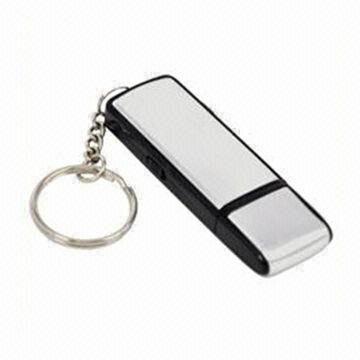
声音记录 新的更新帖后2合1 4GB的数码录音笔+ USB闪存记忆棒DRIVE1。 USB钥匙扣录音机图: 2.使用USB钥匙扣录音: 2.1请参见上图中,开关往下推,它会开机,红色指示灯和绿色指示灯会闪烁,熄灭,它立即开始录像。 2.2请参见上图中,交换机推高,这将关机并保存记录。 2.3请确保至少有一个USB端口,您的计算机(请检查您的电脑的用户?手册)。 2.4开关关闭后,将钥匙串记录,将其连接到电脑的USB端口。 2.5连接到计算机?USB端口后,用户可以删除存储在钥匙串记录数据和记录文件 3.关于充电: 3.1当充电时,绿灯会亮。 After2- 3小时后,再充电完成。 3.2充满电后,电池可以支持约14小时连续记录。 3.3 4GB闪存可以存储20小时录制WAV格式。 3.4当电池排气,钥匙串记录将自动保存录音文件。 3.5没有用坏的MP3充电器,它会破坏钥匙扣记录! 4.故障检修 4.1系统要求 一)的Windows 98 SE时,Windows ME / 2000 / XP / Vista中,MAC 10 X和以上 b)在至少一个可用的USB端口 4.2录音不能在电脑上播放 a)确保音量可达。 b)确保你的声音文件没有受到因操作不当的数据丢失。 c)确保您的计算机的音频播放软件,可播放WAV格式的音频文件。 4.3当你插入钥匙串记录到PC没有响应 一)尝试插上钥匙串记录到电脑一次 b)确保您的计算机满足系统要求上述 c)确保PC的USB端口为availab |
Sound Record New Updated 2th 2in1 4GB Digital Voice Recorder+USB Flash Memory Stick Drive1. USB Keychain Recorder Diagram : 2. Using USB Keychain Voice Recorder: 2.1 See the diagram above, push the switch down, it will power on , red led and green led flashes and goes out, it start recording immediately. 2.2 See the diagram above, push the switch up, it will power off and save recording. 2.3 Ensure there is at least one USB port in your computer (check your PC user?s manual) . 2.4 After switch off the keychain recorder, connect it to the USB port of computer. 2.5 After connecting to computer?s USB port, user can delete data and recording files stored in the keychain recorder 3. About recharging: 3.1 While recharging, Green LED will be on. After2- 3 hours, Recharging is done. 3.2 After fully charged, the battery could support about 14hours continuous recording. 3.3 4GB flash memory could store 20hours recording in WAV format. 3.4 when the battery exhaust, the keychain recorder will autosave the recorded file. 3.5 NO use bad MP3 charger, it will destroy the keychain recorder! 4. TROUBLESHOOTING 4.1 System Requirements a) Windows 98 SE, Windows ME/ 2000/ XP/ Vista, MAC 10. X and above b) At least one available USB port 4.2 Recording can not be played in computer a) Ensure the Volume is up. b) Ensure that your voice files have not suffered data loss due to improper operation. C) Ensure the audio playing software in your computer can play WAV format audio file. 4.3 There is no response when you plug the keychain recorder into a PC a) Try plug the keychain recorder to PC one more time b) Ensure your computer meets the System Requirements above c) Ensure the USB port of the PC is availab |

&img=www.atupapa.com/show/wxbuyer/img/apk.png&url=//www.atupapa.com/show/wxbuyer/whatnear.apk)