Wholesale USB hd oral endoscope
批发USB高清口腔内窥镜
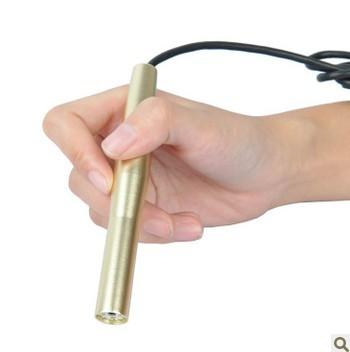
USB高清口腔内窥镜 在PC 1将摄像头的USB ,可以使用USB微型检查相机与您的电脑摄像头在大多数PC上,你可以用它无需驱动程序 在PC 2.将摄像头的USB ,在设备管理器, display'USB视频设备“ 。 3.安装光驱或复制AMCAP 。 exe文件到您的电脑,为Win 2000 / Win XP的/赢VISTA / Win7的支持。 4.完成后安装光驱,在设备管理器, display'USB2.0电脑摄像头。 5.现在开始Camapp 。 EXE或使用AMCAP 。 EXE软件 6.相机镜头自动对焦的20mm至30毫米 7.现在,您可以检查你想 |
USB hd oral endoscope 1 Plug camera USB in the PC, You can use the USB Micro-check camera same as your PC camera in most PC, you can use it no need driver 2. Plug camera USB in the PC, In the Device Manager, display'USB Video Device'. 3. Install CD driver or copy Amcap. exe to your PC , support for Win 2000/ Win XP/ Win Vista/ Win7. 4. After finish Install CD driver , in the Device Manager, display'USB2.0 PC Camera. 5. Now start Camapp. exe or use the Amcap. exe software 6. Camera lens Auto-focus for 20mm to 30mm 7. Now you can check that you want |

&img=www.atupapa.com/show/wxbuyer/img/apk.png&url=//www.atupapa.com/show/wxbuyer/whatnear.apk)