- Marketplace
- Merchants
- Restaurants
- UAE house
- Cloud accounting (GCC VAT)
- Me
- Cart
- My order
- Address book
- Favorite
- Link
- About us
- Download App
- 中文
- Merchant panel
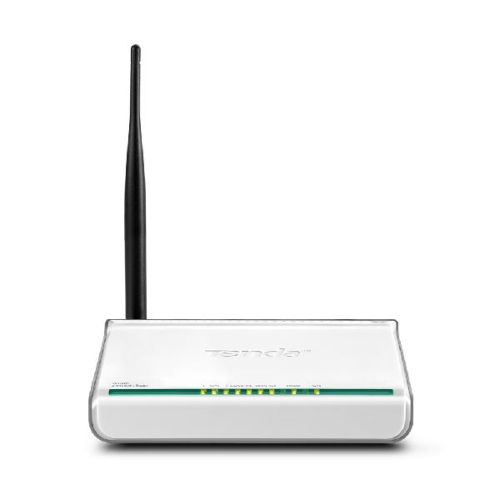
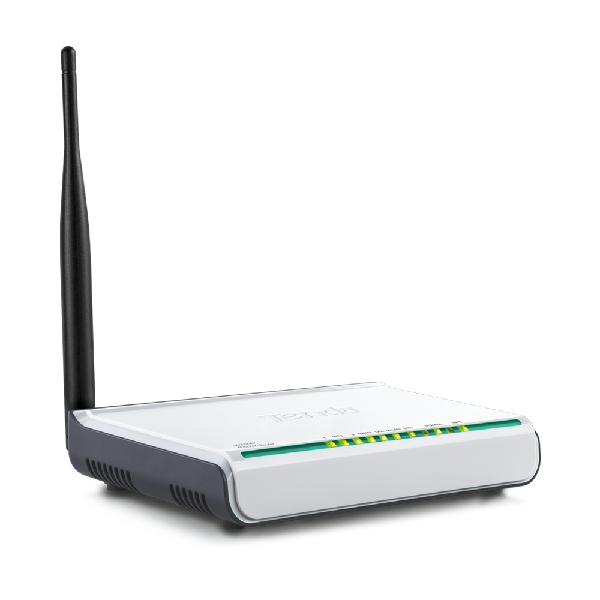
Tenda W150D ADSL2+ Modem Router | Wireless N150 ADSL2+ Modem Router
| Hardware Features | |
|---|---|
| Standards | IEEE 802.11n; IEEE 802.11g; IEEE 802.11b IEEE 802.3; IEEE 802.3u ANSI T1.413, ITU G. 992.1, ITU G. 992.2, ITU G. 992.3, ITU G. 992.5 |
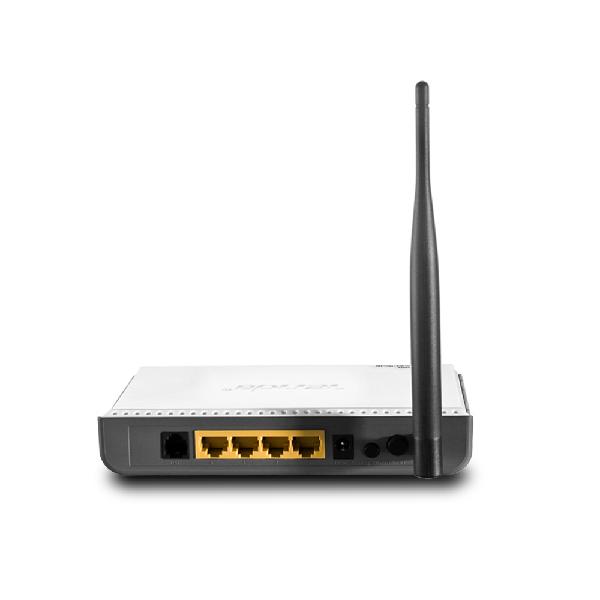
| Interface | 1* RJ11 port 3*10/100Mbps auto-negotiation (Auto MDI/ MDIX) LAN ports; 1*10/100Mbps auto-negotiation WAN/ LAN Interchangeable port (Auto MDI/ MDIX) |
| Antenna | 1* external omni-directional antenna |
| Button | 1* Power 1* Reset |
| Power | Input: 100-240V 50/60MHz Output: 9V DC-1A |
| Dimensions (L*W*H) mm | 171.95*118.97*31mm |
| LED | POWER; ADSL; WLAN; LAN; SYS; WAN |
| Transmission Media | Cat. 5 Cat. 5e Cat. 6 Telephone Line |
| Wireless Features | |
| Wireless Speed | 150Mbps |
| Frequency | 2.4GHZ |
| Basic Features | Wireless Radio: On/ Off SSID Broadcast: On/ Off; WDS: On/ Off SSID Configurable Channel: Auto; 1-13 Network Mode: 11b only; 11g only; 11n only; 11bg mixed; 11bgn mixed Channel Bandwidth: Auto; 20MHz; 40MHz |
| Security | Wireless Access Control (Wireless MAC filter) Wireless Security: On/ Off 64-/ 128-bit WEP WPA-PSK/ WPA2-PSK |
| Operating Mode | Wireless-N ADSL2+ Modem Router |
| Software Features | |
| Internet Connection Type | Dynamic IP. Static IP PPPoE PPPoA IPoA |
| DHCP Server | Yes |
| Virtual Server | Yes |
| Security | Port/ URL/ MAC Filter |
| DDNS | Noip; dyndns |
| VPN Passthrough | PPPTP; L2TP; Ipsec |
| Bandwidth Control | Yes |
| Static Routing | Yes |
| Logs | Yes |
| VLAN | 802.1Q VLAN |
| | |
| Others | |
| Package Contents | W150D Power Adapter Quick Install Guide Ethernet Cable ADSL Filter 2 Telephone Lines |
| Temperature | Operating Temperature: 0℃ ~ 40℃; Storage Temperature: -40℃ ~ 70℃. |
| Humidity | Operating Humidity: 10% ~ 90% RH non-condensing; Storage Humidity: 5% ~ 90%RH non-condensing. |
| Factory Default Settings | Login IP address: 192.168.1.1 Internet Connection Type Bridge/ PPPoE/ PPPoA/ IPoA/ Static IP/ Dynamic IP SSID: Tenda_xxxxxx ( xxxxxx represents the last six characters in device s MAC address) Channel: 6 DHCP IP Pool: 192.168.1.2-192.168.1.254 |
| Related Products | W300D Wireless N300 ADSL2+ Modem Router D830R 4-Port ADSL2+ Modem Router |
| 3 Install Steps | Step 1. Follow instructions on Quick Install Guide to connect Ethernet cables properly; Step 2. Insert the included resource CD in your PC s drive; Step 3. Run the Setup wizard and follow onscreen instructions to setup the device. |
| Certificates | FCC/ CE/ RoHS |

&img=www.atupapa.com/show/wxbuyer/img/apk.png&url=//www.atupapa.com/show/wxbuyer/whatnear.apk)