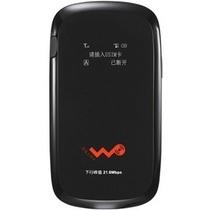
I purchased this from Network Overstock prior to traveling on several trips to Europe. I was able to connect both my iPhone, iPad and MacBook Air to this for hours. Decent speed in most places. With the use of Line2 (or something like Skype) , you can avoid needing any local voice SIM card. It is extremely easy to get an iPad pay-as-you-go (PYG; or pre-paid) SIM card in most European (perhaps other) destinations. The cost is typically around 10 Euros / Pounds for at least one GB of data. This device takes regular SIM, but you can easily put a micro-SIM in there (just position it such that it covers the connectors) -no need for an adapter. The MF60 would typically find the right APN settings automatically, but if not, just Google for APN settings and the provider. the ones I used so far were Vodafone Portugal, 3 in the UK, and Bouygues in France (SFR used to have them but when I was there they said the cards were not available due to technical problems...) . Note sometimes you will need to go and enter a PIN to unlock the card; and as mentioned also to change the APN settings; but you can do so from a browser of a laptop; iPhone or iPad (you go to [...] at the browser once you connect via WiFi to the MF60) . It is all explained in the little manual that comes with the device. Only thing I will do in the future is to get an extra battery (available for about $20) . This also works well with AT& T s iPad SIM; so you can take it out of the iPad and use with the MF60 MiFi instead of more expansive iPhone tethering (which will also drain your iPhone s battery) .

&img=www.atupapa.com/show/wxbuyer/img/apk.png&url=//www.atupapa.com/show/wxbuyer/whatnear.apk)