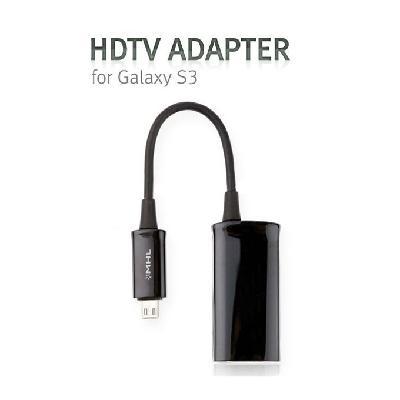
Samsung i9300 K- 3 Galaxy S III HDMI line | MHL conversion line
add to cart
Highlights
- Micro-USB to HDMI adapter
- Automatically switches the phone into USB data / charging or MHL audio / video modes
How to use:
- Connect one end of a universal HDMI cable into the MHL Adapter.
- Then connect the other end to the HDMI port on your TV. Note: The Universal HDMI cable is not included with your device.
- Connect your Travel Charger to the MHL Adapter. Warning!: Make sure that you use the Travel Charger that was included with your phone. If you use an unapproved travel charger, there is a possibility that the MHL adaptor might not function properly.
- Connect your Travel Charger to an approved power source .
- Connect the MHL Adapter connector into the Power/ Accessory Interface port on your device . This is the same port that you normally use to connect your Travel
Specification
- Input connector: Micro USB Male x1
- Output connector: HDMI Female x1
- Net weight: 30g
- Operating temperature range: 0 °C to +70°C
- Operating humidity range: 10% to 85 % RH (none condensation)
- Power supply: No
- Size: 18 x 4 x 3cm
Package included


&img=www.atupapa.com/show/wxbuyer/img/apk.png&url=//www.atupapa.com/show/wxbuyer/whatnear.apk)