- Marketplace
- Merchants
- Restaurants
- UAE house
- Cloud accounting (GCC VAT)
- Me
- Cart
- My order
- Address book
- Favorite
- Link
- About us
- Download App
- 中文
- Merchant panel
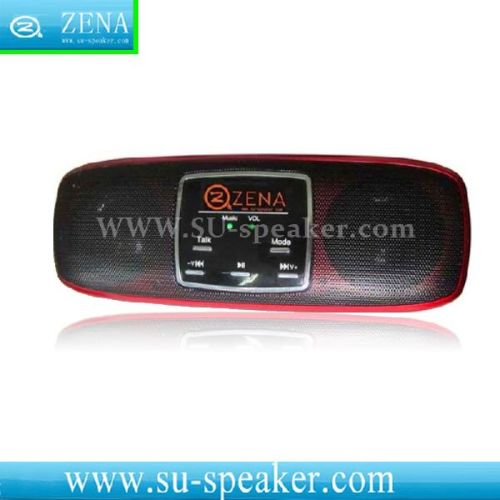
The world is a unique product speech dialogue portable mini speakers
bargain
add to cartThe world is a unique product speech dialogue portable mini speakers
LH-05 is a professional, light, intelligent, vivid portable audio products. It can bring you more convenient and fast music experience. You just need to press the button TALK say the voice commands will easily be able to finish the song process.
First please load BL-5 C lithium battery, and then insert a music file SD card or MMC card and turn the power switch + the volume knob, you can listen to the sweet boot prompt. This time, you just need to press the sound at the top of the TALK key, you can listen to the sweet prompt; After the prompt with clear and fluent mandarin, please say the following voice command!
Introduction of functions :
| Voice Order Words | |
| What catalogues are there ? | Enter the state of catalogues information browse'to look up what music catalogue there are in the SD card |
| What singers are there? | Enter the state of singer information browse to look up what singers there are in the SD card |
| What songs are there? | Enter the state of songs information browse to look up what songs there are in the SD card |
| What songs are there in the catalogue? | Look up all the musics in your specified document, for example what songs there are in the document of pop music' |
| What songs are there from the singer? | Look up all the musics of this singer in the SD card, for example what songs there are from Zhou Jie Lun' |
| Catalogue Name | Catalogue Name is the document name in which the music file saved. say out the catalogue name in which the music you want to play, the speaker will play all the musics in this catalogue . |
| The name of singer | The name of singer is the the information of singer saved in the the label of ID3 in the music document, say out the singer name to play all the music of this singer in the SD card |
| Name of Song | Name of Song is the music name you want to play , say out the song name directly to play |
| Button search: After push down the button of TALK (search) Push down the button and , , then according to the prompt tone to operate | |

&img=www.atupapa.com/show/wxbuyer/img/apk.png&url=//www.atupapa.com/show/wxbuyer/whatnear.apk)